-- postgres · mysql · sqlite
A scratchpad for all your SQL.
Keep a dozen queries going at once, across every database you connect to. Run the one you need, leave the rest where they are, and find every one of them again tomorrow.
SELECT name, status, count(*) AS n FROM events WHERE received_at > now() - interval '1 day' GROUP BY 1, 2
| name | status | n |
|---|---|---|
| http.request | ok | 128 402 |
| react-router.loader | ok | 41 980 |
| http.request | error | 17 |
SELECT * FROM features;
Everything you actually do with a database.
scratchpad
Work on a dozen queries at once
Keep as many queries as you like side by side, and run whichever one you need. The other eleven stay exactly where you left them.
worksheets
Never lose a query again
Nothing to name, nothing to save, nothing to lose. Your worksheets are still there tomorrow, and so is the query you were in the middle of.
browser
See what is in your database
Every table and every column, with its type, a click away. Answer "what is this field called again?" without writing a query about it.
search
Find that table you half-remember
One search box looks through every database you have connected, so half-remembering the name is enough to find it.
databases
One app for every database
PostgreSQL, MySQL, and SQLite, with as many connections as you need. Prod, staging, and the local file all live in the same window.
editor
An editor that helps
Highlighting that makes a long query readable, completion that saves the typing, and one shortcut that tidies the mess you just wrote.
keychain
Passwords stay where they belong
Database passwords are encrypted with your operating system keychain — after Squeal asks, and only if you say yes.
themes
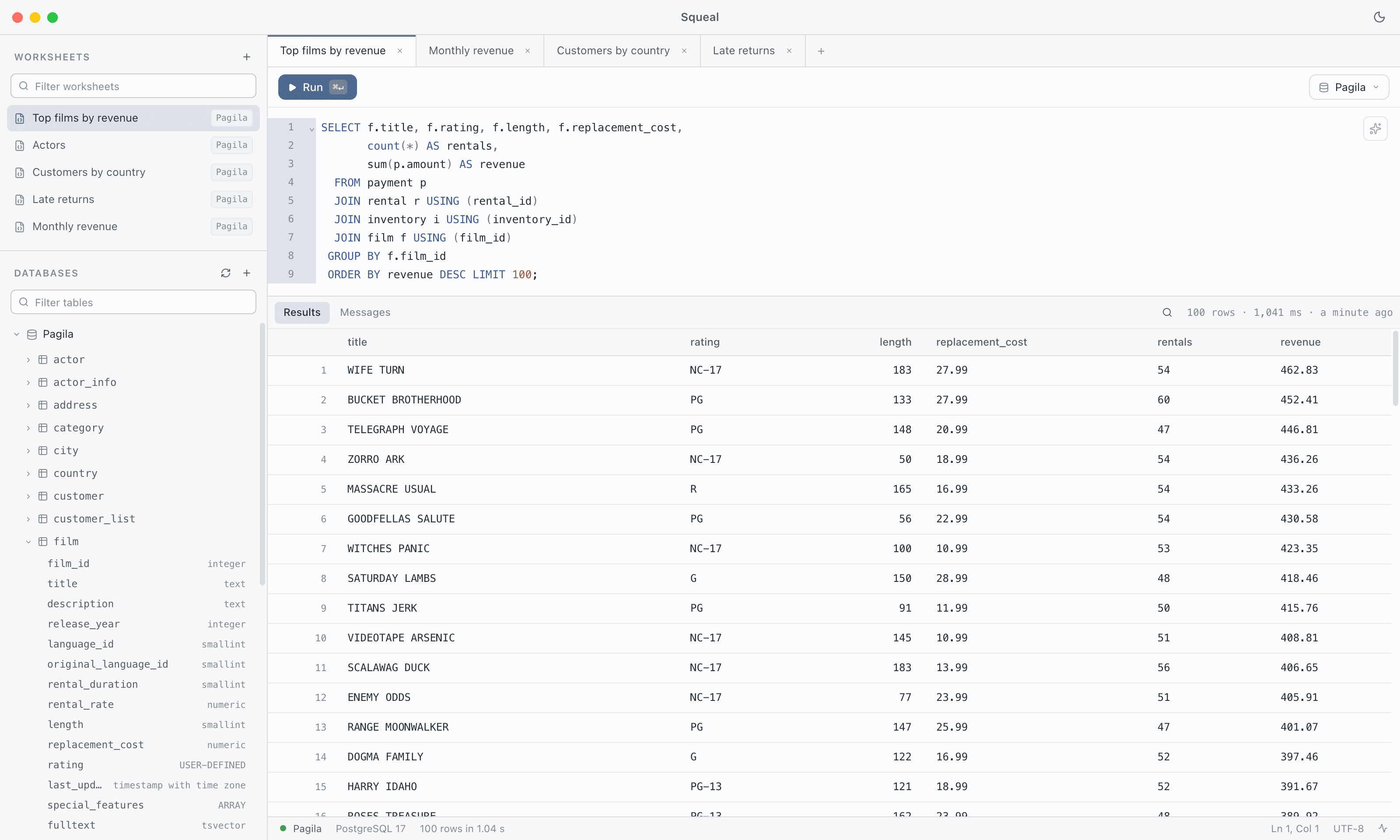
Light and dark
A light theme for the morning and a dark one for everything after that. One shortcut switches.
native
Wherever you work
Real desktop builds for macOS, Windows, and Linux — not a browser tab pretending to be an app.
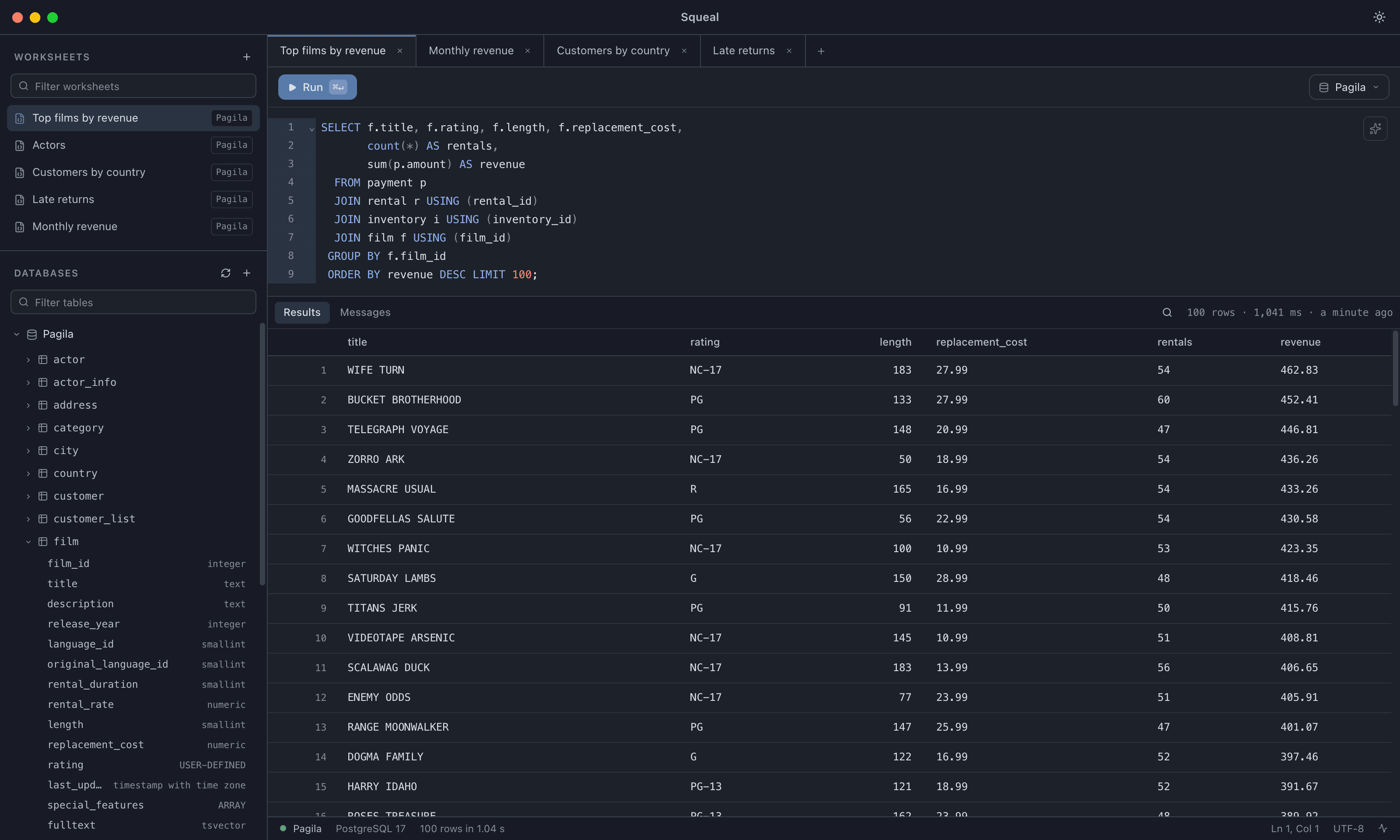
Results you can read without squinting.
Your databases, your queries, and the rows they returned — all in one window, all in the place you left them.
Four keys worth learning.
- ⌘ ↵
- Run the query you are standing in, and only that one.
- ⌘ ⇧ F
- Turn what you just typed into something readable.
- ⌘ ⇧ L
- Light for the morning, dark for the rest of it.
- ⌘ F
- Search the rows that came back.
Try it out.
Pick your platform and go. macOS and Windows keep themselves up to date from there on.